(01)Case studyVideo learning platform

Varplat

A video learning app where people watch courses, track their progress and earn certificates. I built its web app in React and its mobile app in React Native, and worked on sign-in and permissions on the backend.

My role
Front end, web and mobile
Built with
React, React Native, TypeScript
How it works Private build
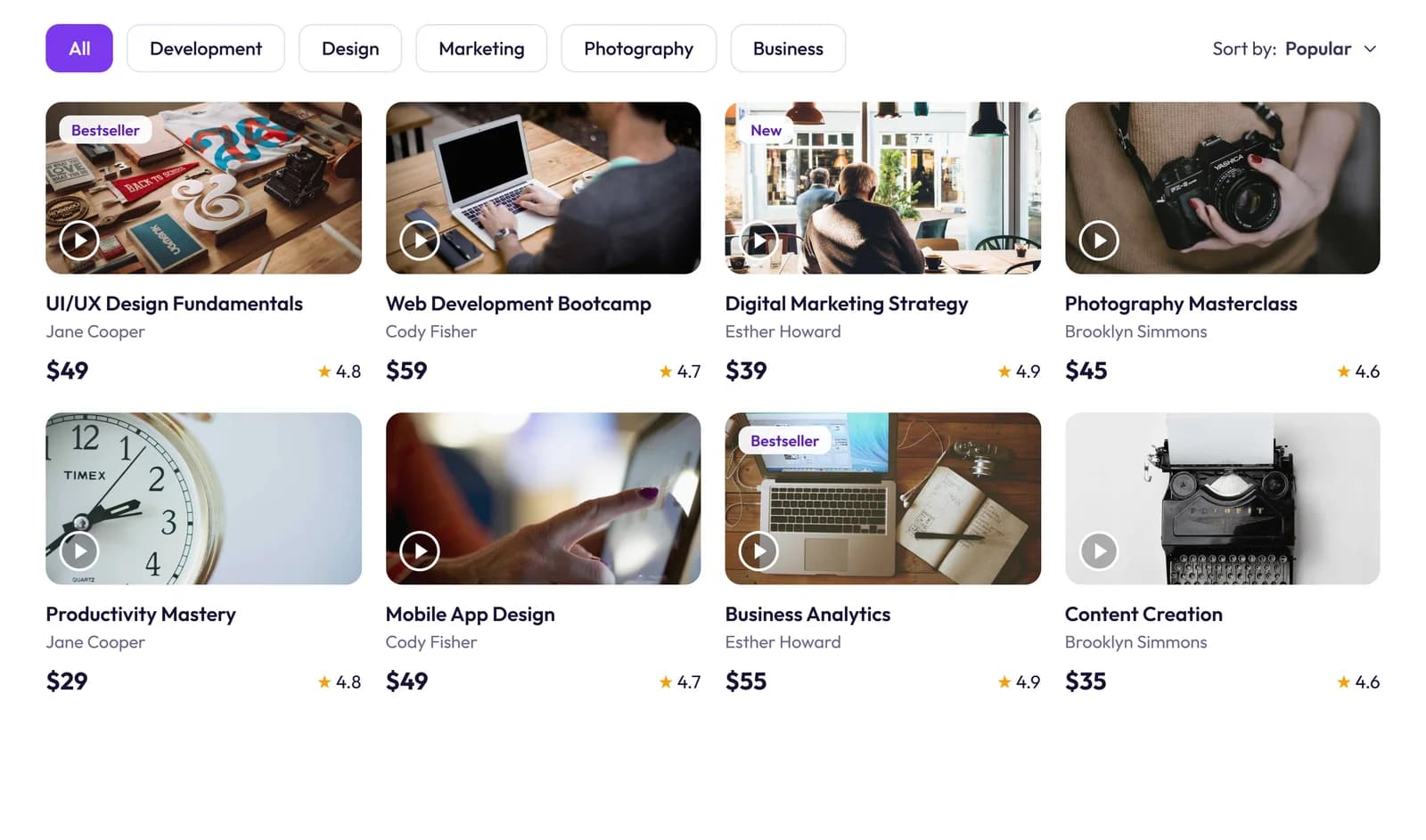
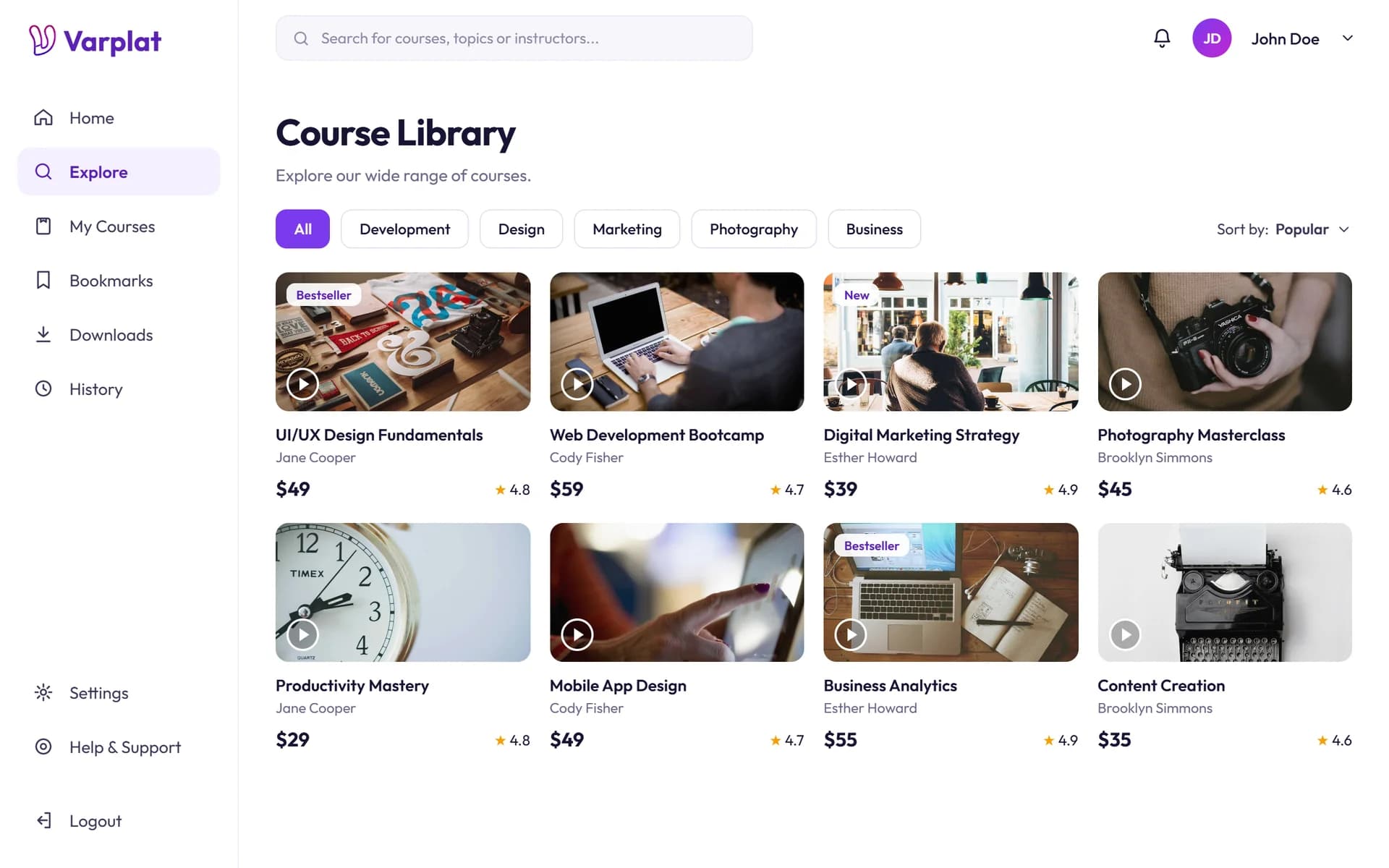
The Varplat course library
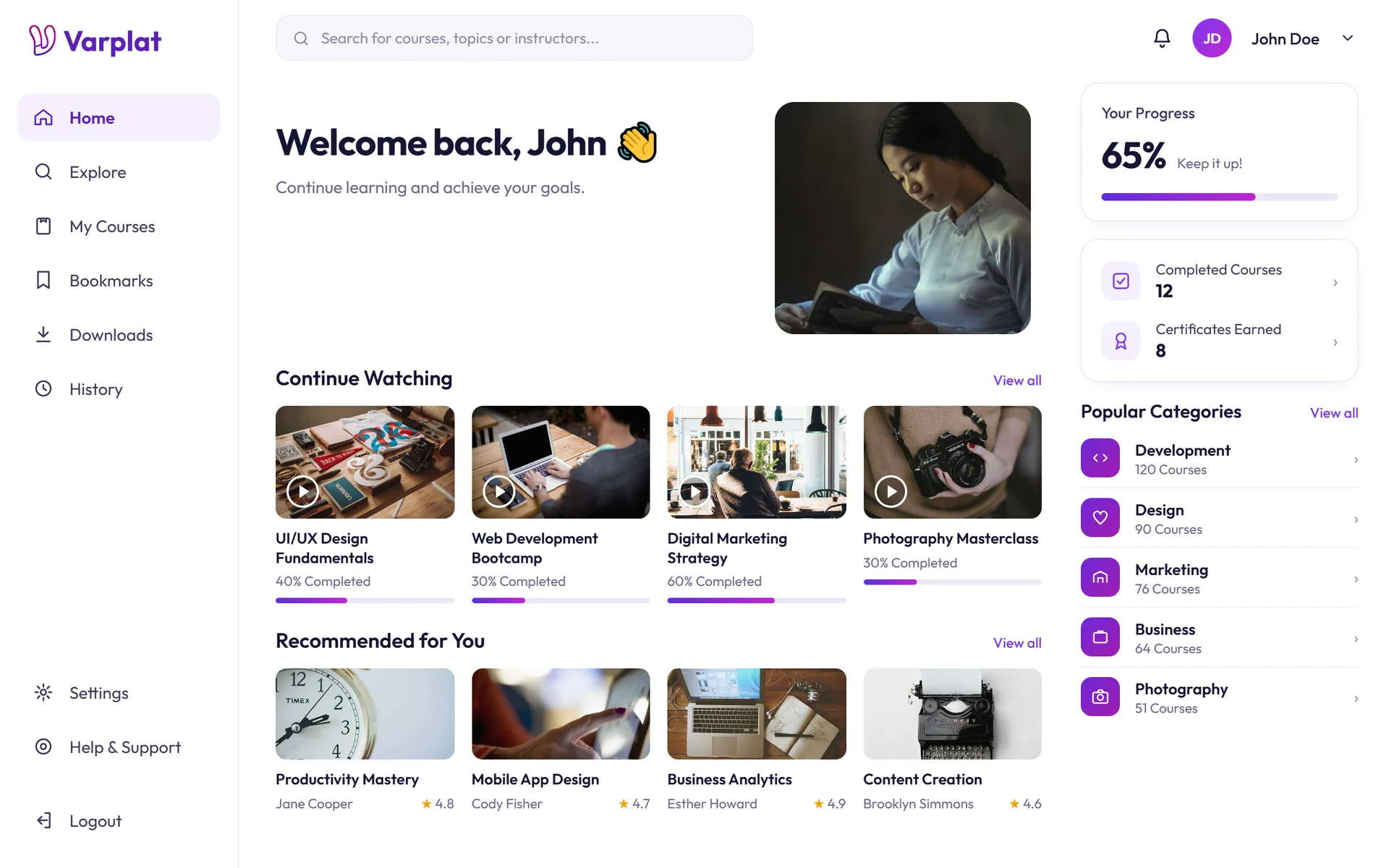
The Varplat dashboard: continue watching, recommended courses and progress
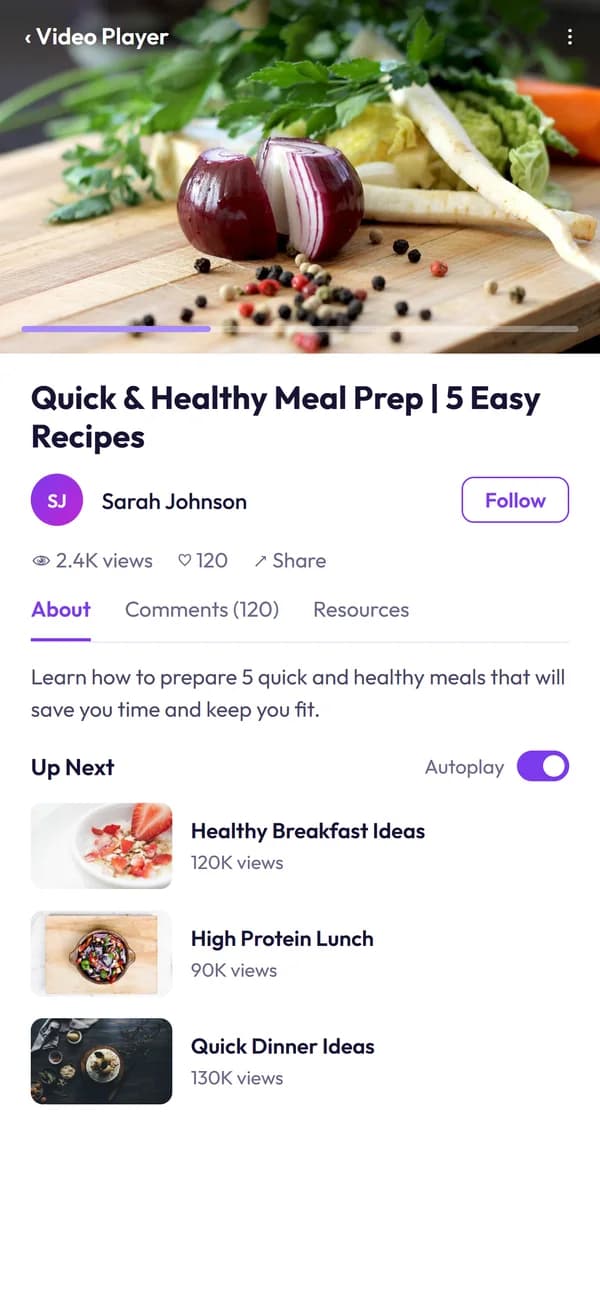
The Varplat video player on a phone
(01)In short

01

What the client wanted

A video learning platform that feels fast: a feed that scales to a big catalogue, a watch page that holds attention, and a secure account flow, without the layout breaking on a phone.

02

What I built

Both front ends from the client's designs: the web app in React and the mobile app in React Native. On the backend, I worked on authentication and authorization with the team.

03

The result

About 11 screens shipped across web and mobile, all true to the designs, with sign-in and access control that hold up.

screens built
11screens built
apps: web and mobile
2apps: web and mobile
steps in the account flow
4steps in the account flow
set of shared components
1set of shared components

Counted from the build

(02)What I built5 highlights

Made for people who learn on the go.

Each highlight says what it does for the people learning, and how it works underneath.

01

Your next lesson, already waiting.

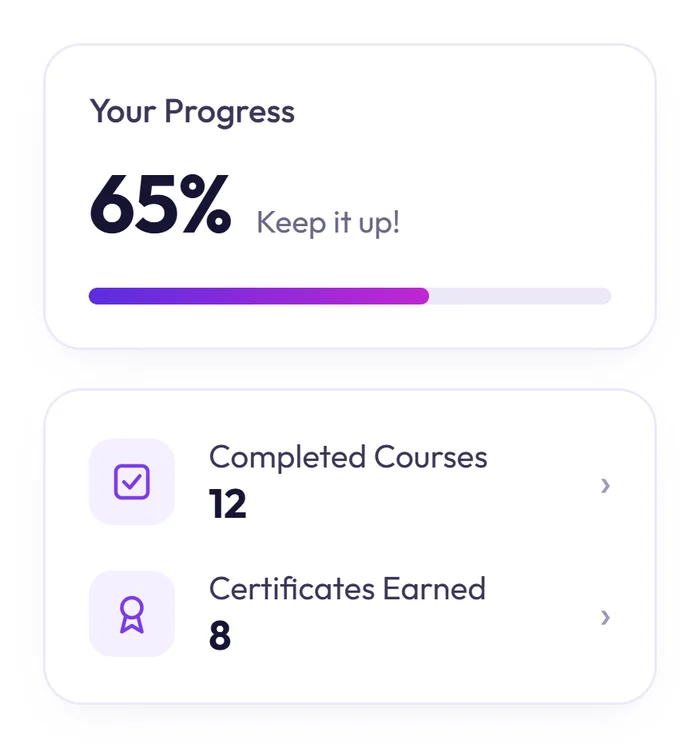
Open the app and the courses you started are right at the top, each with how far you've got. Your overall progress, finished courses and certificates sit beside them.

For learners

No hunting for where you left off. Tap and keep going.

Under the hood

React Query caches the feed and refetches it in the background, so the home screen opens instantly.
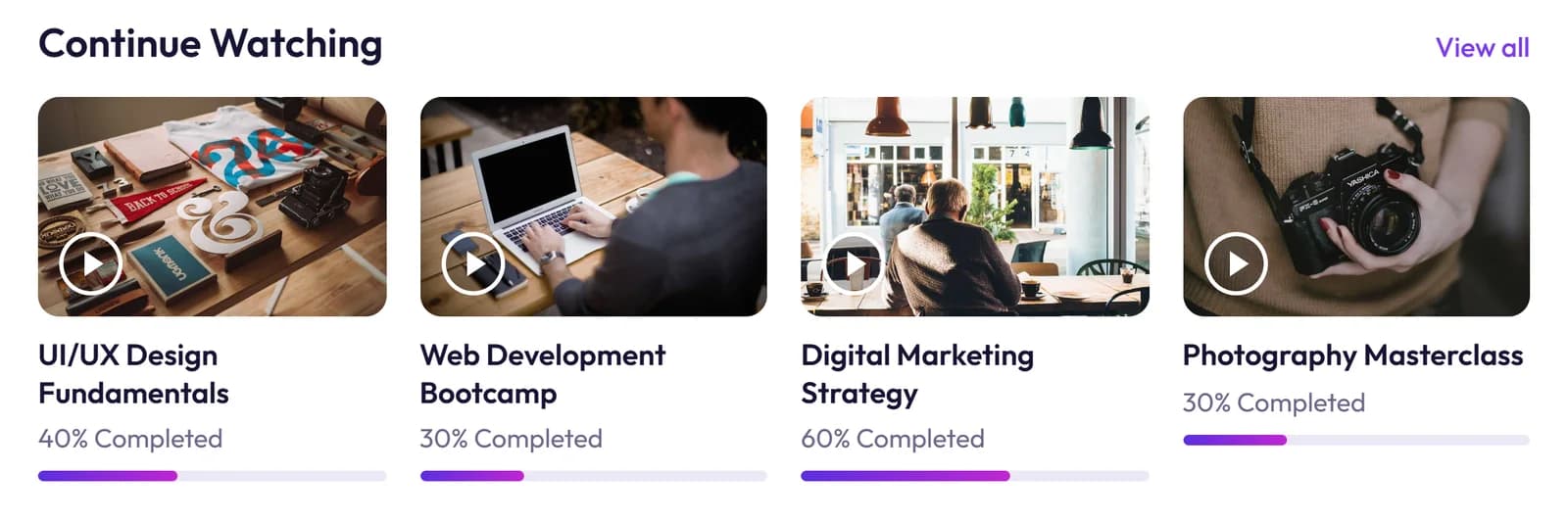
Continue Watching, with how much of each course is done
Your Progress: 65%, 12 completed courses and 8 certificates

02

A catalogue that keeps scrolling.

Browse every course by category, with the teacher, price and rating on each card. On the phone, Explore puts search and category chips at your thumb.

For learners

Find a course by topic in a couple of taps.

Under the hood

Infinite scroll with React Query, so long lists load as you go instead of all at once.

Course cards with teacher, price and rating
Explore on a phone, with search and category chips

03

Watch, then keep going.

The watch page pairs the player with everything around it: the teacher to follow, comments, resources, and an Up Next rail that autoplays the next lesson.

For learners

One lesson leads straight into the next.

Under the hood

A custom watch page: the player and the recommendations rail stay side by side on desktop and stack on mobile.

The watch page with the player and the Up Next rail

04

Sign in your way.

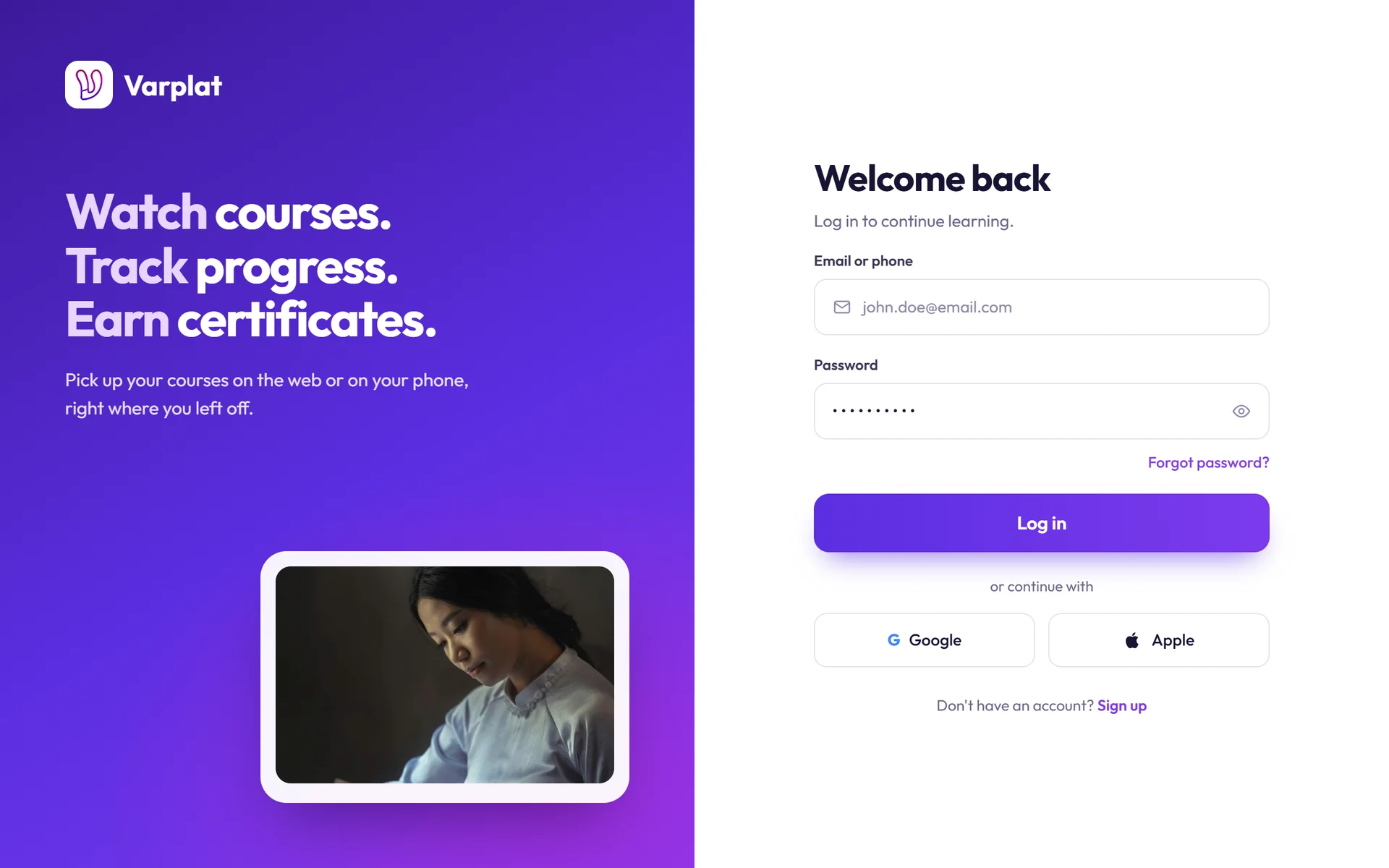
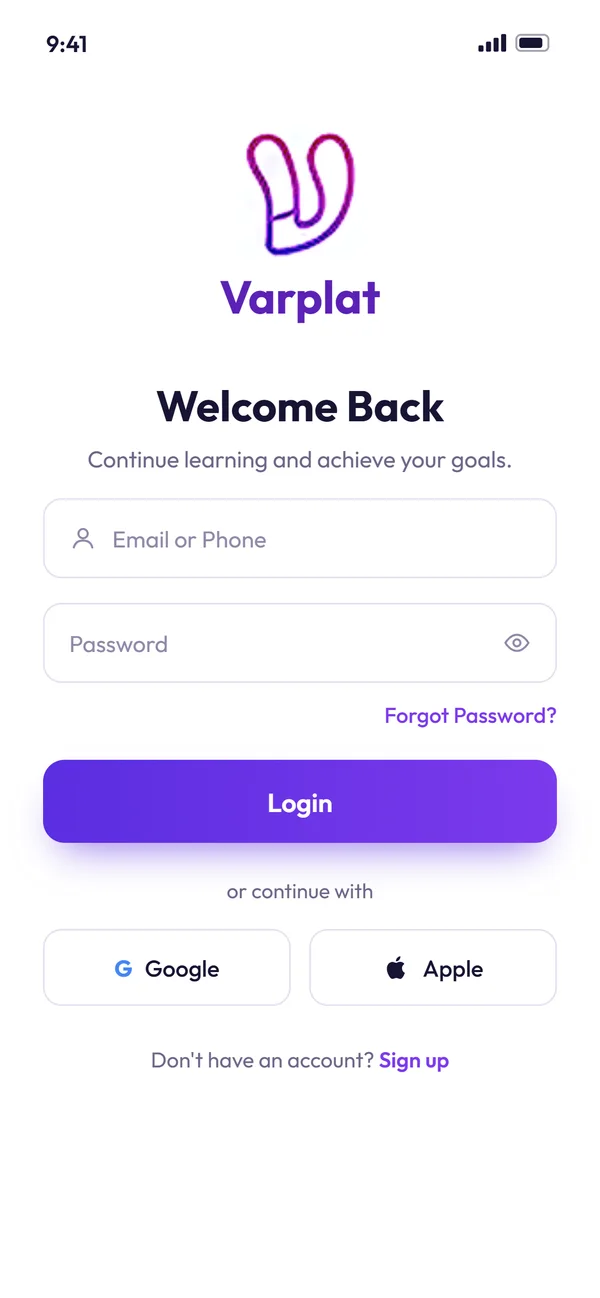
On the web, a split screen with the sign-in form beside the brand. On the phone, the same flow in one column. People can use email and a password, or Google.

For learners

Sign in with Google in one tap, no new password to remember.

Under the hood

Google Sign-In on both apps, with the session token kept in secure storage on the phone. On the backend, I worked on the sign-in itself.

The split-screen login on the web
The login on a phone

05

Accounts that stay safe.

Signing up sends a 6-digit code to check the email is real, and a forgotten password can be reset the same way. Four steps in all: sign up, verify, log in and reset. Behind them, each account only reaches what it's allowed to.

For learners

Your account is really yours, and easy to get back into.

Under the hood

My part of the backend: token checks and permissions. In the apps, Axios attaches the token to every request.

Email verification with a 6-digit code

Varplat isn't public, so these screens are rebuilt from the client's design board. Course names, teachers and numbers are the design's sample content.

(03)How it works

One app, web and phone.

I built the two apps people use, from the client's designs. The web app is React; the mobile app is React Native with Expo, with managed builds and over-the-air updates. NativeWind brings Tailwind's styling into React Native, so both apps share one look, and React Query keeps their data cached and fresh.

Behind them is a Node and Express API built with the backend team. My part there was authentication and authorization: signing people in, issuing and checking their tokens, and making sure each account only reaches what it's allowed to.

  1. Step 1

    A learner signs in

    Email or Google Sign-In, token in secure storage

  2. Step 2

    Their feed opens instantly

    React Query cache, background refetch

  3. Step 3

    The server checks who they are

    Token checks and permissions, my part of the backend

  4. Step 4

    Lessons play, one after another

    Watch page with an Up Next rail, on web and mobile

Built withReactReact NativeExpoTypeScriptNativeWindReact QueryAxiosGoogle Sign-InAuth on Node + Express
(04)The result

Two apps, true to their designs.

Varplat shipped on the web and on the phone: the feed, the player and the full account flow, built faithfully from the client's designs, with sign-in and permissions I helped build on the backend.

Open to work

Have a project like this in mind?

I build complete web and mobile apps, for full-time roles or freelance work, remote in any time zone. A quick call is the fastest way to start.

I reply within a day, usually less.